Engineered Softwares
High-performance, zero-bloat native desktop applications and developer utilities designed for speed, precision, and frictionless workflow execution.
SnapPlus
v1.0ActiveSupercharged macOS Screenshot & Clipboard Assistant
"Save to Desktop" skips clipboard copy; "Save to Clipboard" discards the file.
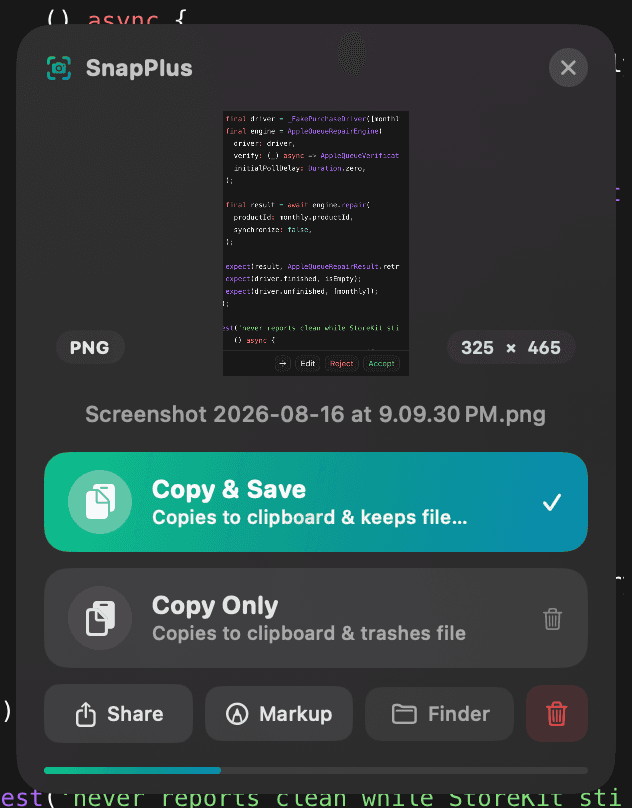
Instant floating HUD: 1-click Copy & Save, Zero-Click Auto-Copy, and quick Share/Markup.
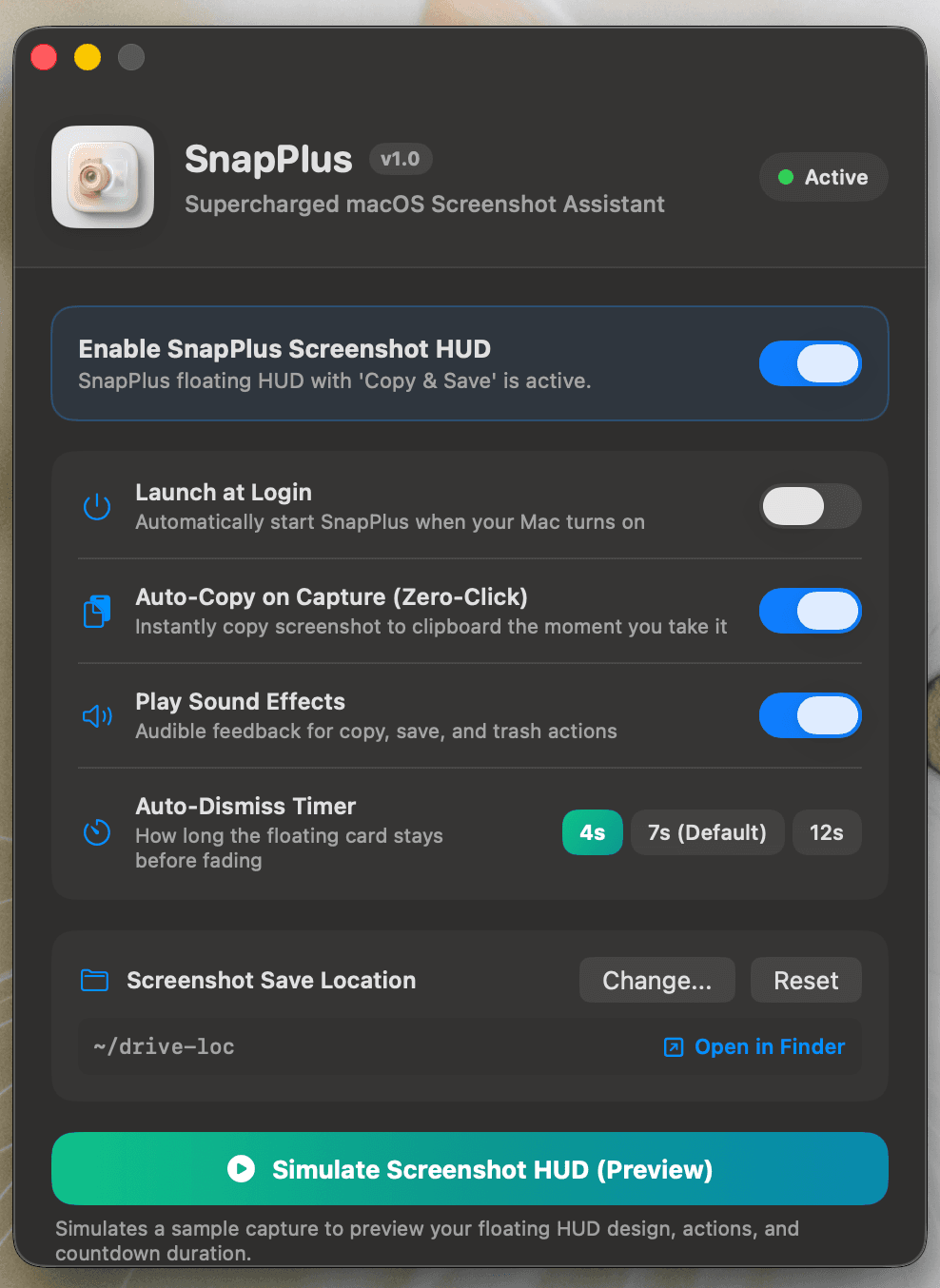
How SnapPlus Looks & Works
Crafted with macOS native design language: frosted-glass blur, non-activating floating windows, and smooth typography.
What SnapPlus Is Capable Of
Engineered from the ground up to eliminate screenshot friction without adding system overhead.
1-Click Copy & Save
Copies the screenshot to your clipboard and preserves the file on disk in a single click. No more choosing between clipboard-only or desktop-only.
Copy Only & Auto-Trash
Copies the image to your clipboard and instantly moves the temporary file to Trash. Perfect for one-time pastes into Slack, Figma, or Discord.
Zero-Click Auto-Copy Mode
Automatically copies every screenshot to your clipboard the instant you capture it with Cmd+Shift+4, Cmd+Shift+3, or Cmd+Shift+5.
macOS Native Share Sheet
AirDrop, Message, Email, or save to Apple Notes straight from the floating HUD without opening Finder or Preview.
Instant Preview Markup
Jump straight into Apple's native Markup tools to draw arrows, highlight text, redact sensitive info, and crop captures.
Smart Auto-Dismiss HUD
The floating card stays unobtrusive and auto-dismisses after 4s, 7s, or 12s. Hovering pauses the countdown automatically.
Ultra-Lightweight (< 5 MB RAM)
Written in 100% native Swift 5.9, SwiftUI, and AppKit. Zero third-party frameworks, zero background battery drain, 100% on-device privacy.
1-Click Clean Uninstall
Built-in uninstaller that restores Apple's default screenshot settings and self-trashes cleanly with zero leftover background daemons.
Zero Setup Shortcuts
Works out of the box with your existing macOS muscle memory. No custom key combos needed.
Technical Specifications
Compiled natively for peak performance and battery longevity on every modern Mac.
Ready to Upgrade Your Screenshots?
SnapPlus is distributed as a Universal DMG installer. Double-click the DMG, drag SnapPlus into Applications, and you're set.